Google Ads Account Audit Checklist for 2026
Every agency and freelancer offers a free audit now, so it's worth asking what most of them actually check before you hand one your account access.

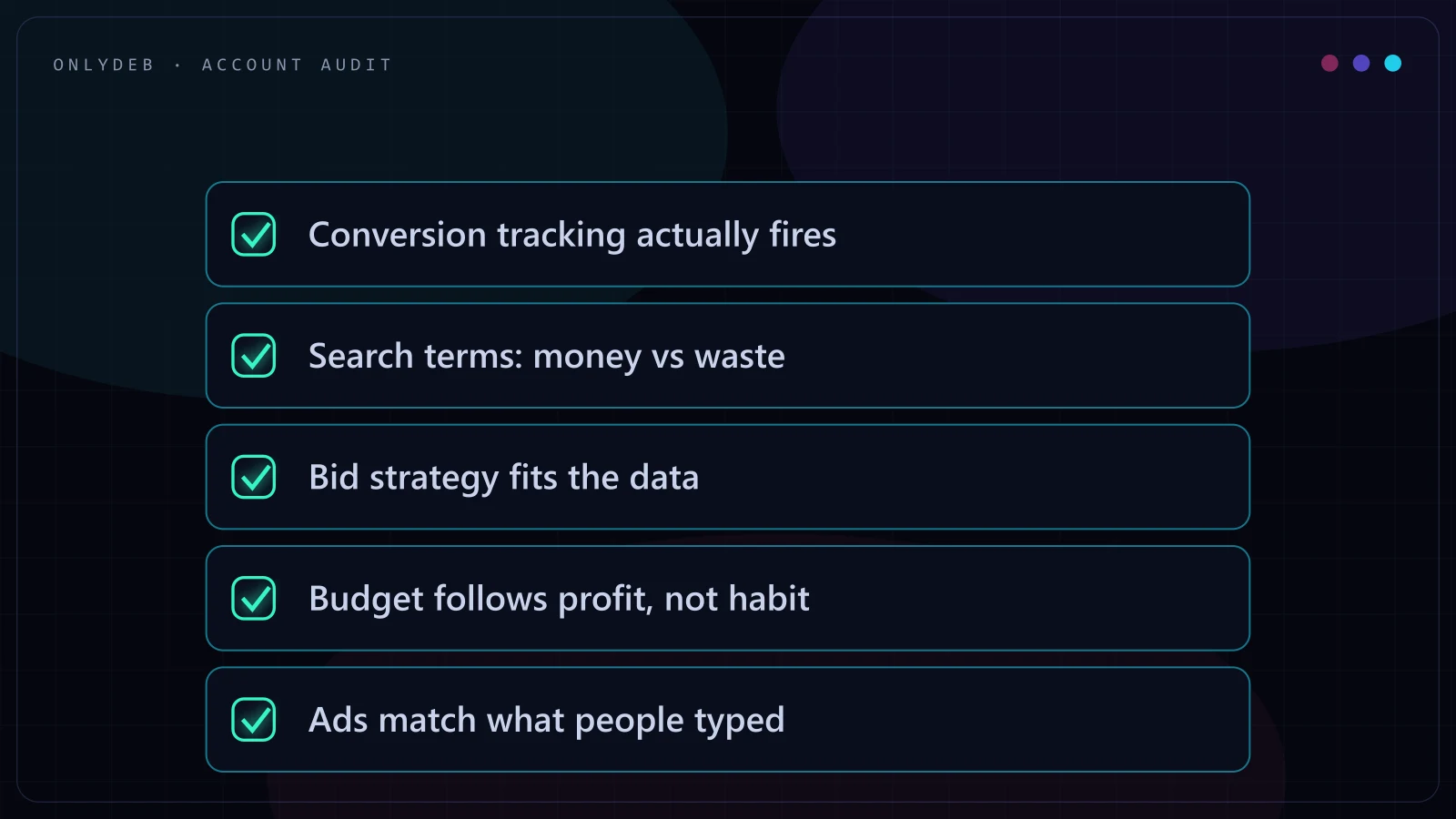
Every agency and freelancer offers a "free Google Ads audit" now, so let's be honest about what most of those actually are. They're a sales document dressed up as analysis. Someone opens your account, screenshots the highest cost-per-click keyword, calls your Performance Max campaign a black box, and closes with a proposal. None of that requires opening the search terms report or checking whether your conversion actions still fire correctly.
I've reviewed a lot of accounts. At Google's Operations Center I went through more than 400 a quarter and held a 100% client satisfaction score for three straight quarters. Since going independent I've managed $5M+ in combined ad spend across ecommerce, SaaS, and lead gen clients. The audits that actually change outcomes never start with an opinion about your account. They start with a checklist run the same way every time, regardless of what a salesperson wants to say next.
A Google Ads account audit is a structured review of tracking accuracy, spend efficiency, and account structure measured against what the business is actually trying to achieve. It checks whether the data Google is optimizing against reflects reality, whether budget lines up with profit rather than raw volume, and whether the account's structure helps the algorithm or fights it. A real audit ends with a ranked list of fixes and their likely impact, not a slide titled "opportunities."
Conversion Tracking Verification
Start here, because everything else in the account depends on this data being right. Bid strategy, budget decisions, Performance Max asset groups, all of it optimizes toward whatever your conversion actions report. If tracking is broken or half-broken, every other finding in the audit is built on sand.
- Compare conversion counts against real numbers. Match Google Ads reported conversions to actual CRM or order data for the same date range. A 10-15% gap is usually explainable (attribution windows, cross-device delay). A 40%+ gap means something is broken.
- Check for duplicate conversion actions counting the same purchase or lead twice, which is one of the most common ways an account looks like it's performing better than it is.
- Confirm which actions are primary (used for bidding) versus secondary or observation-only, since a primary conversion action set to the wrong event skews every bid decision downstream.
- For lead gen accounts, verify offline conversion imports are actually running, not just configured, and check the import lag against your sales cycle.
- Check enhanced conversions are enabled and matching at a reasonable rate rather than sitting there unconfigured.
I go deeper into the setup side of this in Google Ads Conversion Tracking Setup for 2026, but for an audit, the goal isn't a perfect setup. It's confirming the numbers the account is optimizing against are close enough to true.
Search Term Waste
Pull the search terms report for the last 90 days and sort by cost. Look hard at the top 20% of spend, because that's where waste hides in plain sight.
- Look for terms that share almost no words with any keyword in the ad group. That's broad match drift, and it's the single most common source of wasted budget I see in audits.
- For Performance Max, check the search terms insights report and the auto-applied recommendations log for anything that got added without review.
- Add negatives at the level that actually stops the waste, campaign or account, and categorize what you're cutting. Wrong audience waste and wrong-funnel-stage waste need different fixes, not just a blanket negative list.
- For ecommerce, check Shopping campaigns for irrelevant product matches burning budget on searches with high impression share but a conversion rate near zero.
On one archery gear account (Mandarin Duck), a large share of the lift to 400% ROAS came from cutting terms that were technically related to the product but had never converted once in months of spend. Nothing about that fix was clever. It just required actually reading the report instead of skimming a summary.
Bid Strategy vs Data Volume
Smart Bidding needs volume to work, and this is where a lot of accounts get set up to fail quietly.
- Check conversion volume per campaign per week. If a campaign runs Target CPA or Target ROAS with fewer than 15-30 conversions a month, the algorithm doesn't have enough signal and is largely guessing.
- Look for portfolio bid strategies grouping campaigns with different margins or sales cycles, forcing one target across businesses that don't share the same economics.
- Check how recently the bid strategy changed and whether the account gave it enough time to exit the learning phase before switching again.
- Confirm Target ROAS or Target CPA reflects actual margin, not a number that felt safe when someone set it a year ago and never revisited.
I've had one ecommerce account peak at 900% ROAS and I've seen a realistic annual average of 400-500% across well-run accounts, but where a specific account lands on that range has a lot more to do with whether bid strategy matches its actual data volume than with any single "smart" setting. More detail on this in Advanced Google Ads Bidding Strategies for 2026.
Budget Allocation vs Profit
Revenue and profit are not the same number, and budget audits that only look at revenue miss the point.
- Check budget split by campaign against margin or profit contribution per product or service line, not just against revenue.
- Look for impression share lost to budget on your best-performing campaigns while weaker performers spend freely.
- For businesses with multiple offers or SKUs, verify budget isn't propping up a legacy line just because it has the longest campaign history.
- Check whether budget pacing reflects seasonal demand, since a flat monthly budget ignores demand curves that are often predictable.
Reallocating budget toward what was actually profitable, rather than launching anything new, was most of what moved Black Voyage from a 1.69 to a 4.26 ROAS in four months. Same logic helped a garage door client go from roughly 100 daily leads to 500+, by shifting spend into campaigns that were already converting and starving the ones that weren't.
Stop guessing with your ad spend.
I build highly profitable Google Ads acquisition systems for ambitious brands. Stop burning cash on broad match and let's scale your ROAS properly.
Ad-to-Query Relevance
This step gets skipped constantly because it's slower than pulling a report. It requires reading.
- Read the actual ads running against the actual queries triggering them, not the ad copy in isolation. The pairing is what matters.
- Check landing page match, whether the page a Search or Performance Max ad sends traffic to matches what the ad promised.
- Read ad strength scores skeptically. "Excellent" means Google's asset diversity checklist is satisfied. It doesn't mean the ad is right for the query.
- Check RSA asset performance data, not just the Best/Good/Low labels, for headlines pinned in every ad. A pinned headline can quietly cap performance for months without anyone noticing.
Account Structure
- Look for outdated structures built for a targeting model that no longer applies (SKAG-era ad groups running inside a broad-match, Smart Bidding world).
- Check for keyword or product overlap creating internal competition between your own campaigns for the same auction.
- Verify naming conventions and labels are consistent enough that reporting by product line, funnel stage, or geography is actually possible.
- Confirm account-level negative keyword lists exist and are applied across the campaigns that need them.
- Check that conversion actions, audiences, and asset groups aren't duplicated in ways that fragment data or split budget unnecessarily.
Structure problems rarely cause a dramatic failure. They cause a slow tax on performance that nobody notices because the account still "works." At Dagamma, getting spend to $300K+/month at a sub-$8 CPA depended as much on cleaning up structural overlap as it did on any bidding decision, and that seasonal push eventually contributed to $2M+ in revenue during peak months. Bloomstories saw signups grow 5x and ROAS settle at 350% on $100K+/month spend the same way: fixing what was already there before adding anything new.
What a Good Audit Report Looks Like
A good audit is not a slide deck of "opportunities." It's a ranked list: what's broken, what it's likely costing, and what fixing it requires. A few things separate a real one from a sales pitch wearing an audit's name.
- Specific enough to hand to another operator, who would know exactly what to check and where, without needing you to explain it.
- Built from actual screenshots or exports from your account, not a template with your business name typed into the header.
- Findings first, sales conversation separate. Packages and retainers don't belong inside the findings section.
- Time-bound. A real audit takes a few focused hours, not two weeks of "our team is analyzing your account."
FAQ
How long does a Google Ads audit take?
A focused audit of the checklist above takes a few hours of hands-on account work, not days. If someone quotes you two weeks, they're likely queuing your account behind other work, not analyzing it.
What access do you need to audit my Google Ads account?
Read-only viewer access through Google Ads account linking is enough for a full audit. There's no reason to hand over admin access, billing details, or your Google login for a review.
How often should I audit my Google Ads account?
Once a quarter for stable accounts, and immediately after any major shift: a new bid strategy, a Performance Max migration, a tracking change, or a conversion rate drop reporting can't explain.
Can I audit my own Google Ads account?
Yes, if you work through the checklist in order and pull the actual reports instead of relying on the dashboard summary. The hard part isn't access to the data. It's being willing to find your own mistakes.
What does an audit cost with you?
It's free. I use the same checklist covered in this article, and you get the findings whether or not you decide to work with me afterward. Request one at /google-ads-offer.
If you've read through this and want it applied to your actual account instead of running it yourself, that's what the audit at /google-ads-offer is for. Same checklist, no admin access required, and you keep the findings either way.