Negative Keywords in Google Ads: The 2026 Playbook for Cutting Wasted Spend
The search terms report is the first thing I pull on any new account, and it's almost never clean. DIY searches, job hunters, and a competitor's brand name nobody flagged. Negative keywords are the fastest, cheapest fix I know, and also the easiest one to get wrong.

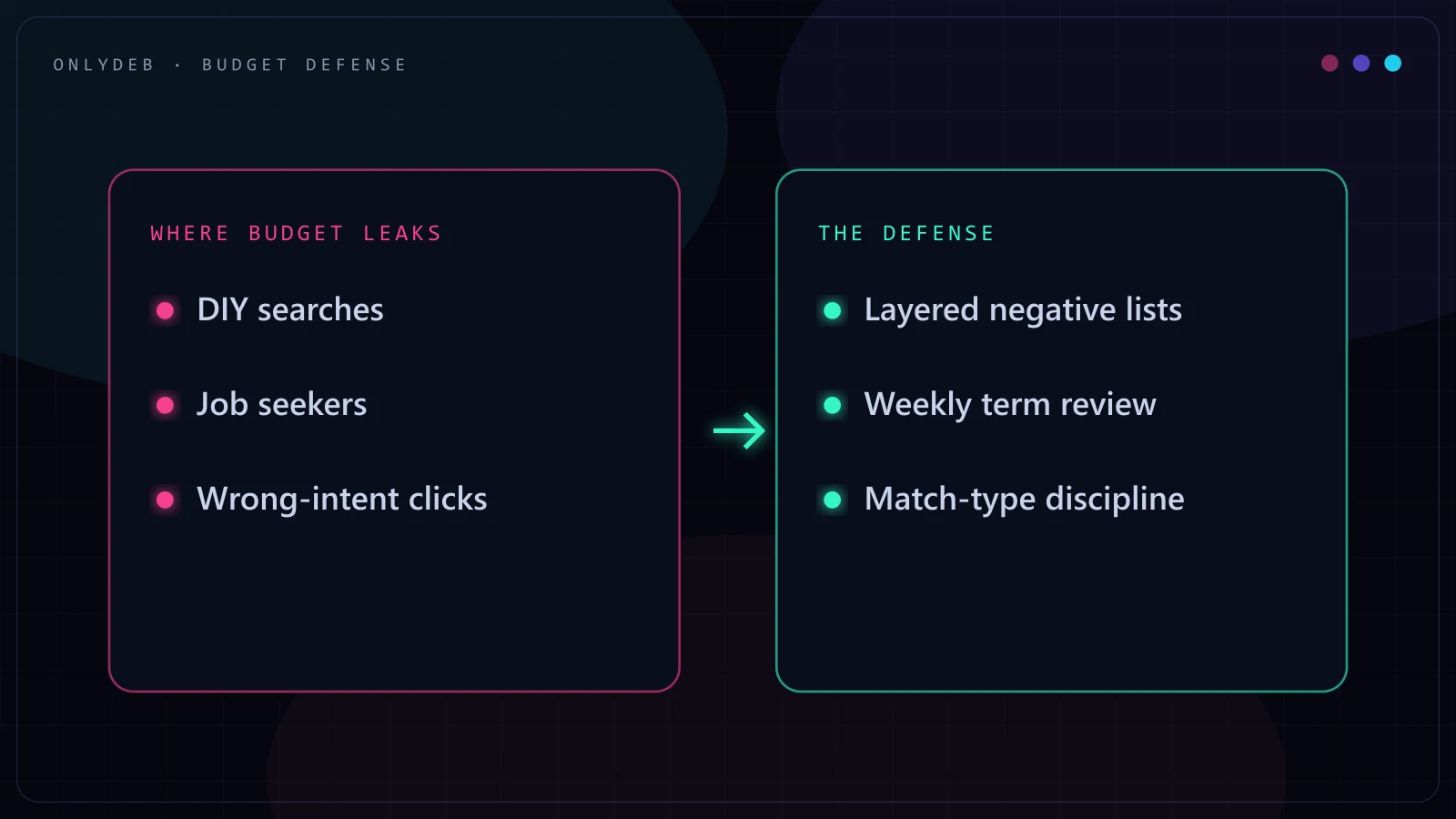
The first thing I do when I take over a new account isn't the bid strategy or the ad copy. It's the search terms report, pulled for the last 90 days and sorted by spend. I've run this same first-day check maybe 150 times now, on small home service accounts and on accounts pushing $300K a month, and the pattern barely changes. Somewhere in the top rows there's a cluster of clicks from people typing "how to fix garage door spring myself" or "diy hvac thermostat wiring." A few rows further down, someone searched "garage door installer jobs near me" and clicked a paid ad meant for homeowners looking to hire a company. And near the bottom of the list, quietly, a competitor's brand name shows up with a handful of clicks that have been running for months with nobody noticing.
None of this is a scandal. It's just what happens to an account when nobody is minding the negative keyword lists. Match types are built to find volume, and volume finds the DIY crowd, the job seekers, and the curious right alongside your actual buyers. On almost every audit I run, cleaning up negatives is the fastest, cheapest change I make in the first week, and it's usually where the biggest chunk of obvious waste is sitting in plain sight.
Negative keywords are search terms you tell Google Ads not to show your ads for, layered across the account, campaign, and ad group levels to keep your budget pointed at people who are actually in-market. They don't add reach, they subtract irrelevant reach, and in a well-run account that subtraction accounts for a meaningful share of the monthly waste you're never billed for by name. Get the list wrong in either direction, too thin or too aggressive, and you either keep bleeding spend or quietly block the buyers you built the campaign for.
The Three-Layer Negative System
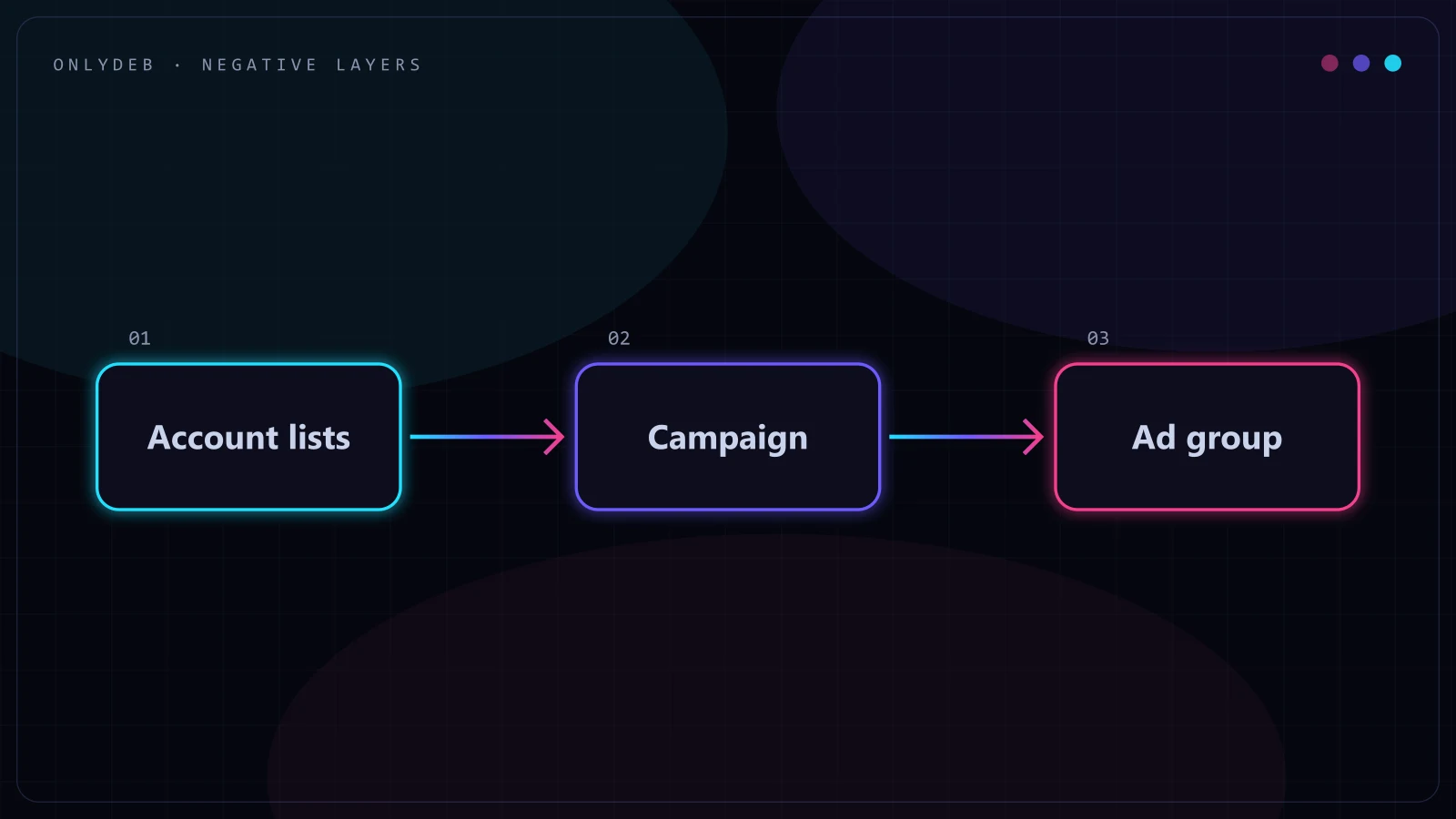
Every account I manage runs negatives on three levels, and each level does a different job. Treating them as interchangeable is how lists get messy and hard to audit six months later.
Account-level lists hold the negatives that should apply everywhere, no exceptions. "Free," "jobs," "salary," "how to," and similar terms almost never belong in a paid account regardless of which campaign is running, so they live in a shared list attached to every campaign. This is also where I put terms that are irrelevant across the entire business, not just one product line.
Campaign-level lists handle exclusions that only make sense in a specific context. A campaign built around residential garage door repair needs to exclude "commercial" and "warehouse" terms that a campaign targeting commercial buildings would actually want. The same word, "commercial," is a negative in one campaign and a legitimate target in another, which is exactly why this can't live at the account level.
Ad-group-level negatives are the finest layer, and the one people skip most often. Inside a single campaign, a "repair" ad group and an "installation" ad group are both bidding on close variations of the same core terms. Without ad-group-level negatives, "garage door repair" can trigger the installation ad group's keywords and vice versa, and the two groups end up bidding against each other for the same auction. Adding "installation" as a negative to the repair ad group, and "repair" as a negative to the installation ad group, keeps each group's traffic clean and keeps your own account from competing with itself.
Stop guessing with your ad spend.
I build highly profitable Google Ads acquisition systems for ambitious brands. Stop burning cash on broad match and let's scale your ROAS properly.
Negative Match Types (and the Trap Most People Fall Into)
Positive match types and negative match types share names, broad, phrase, exact, but they don't behave the same way, and assuming they do is one of the most common mistakes I see in accounts I audit. With positive keywords, broad casts the widest net and exact is the narrowest. With negatives, that intuition flips in an important way: negative broad match blocks the most, and negative exact match blocks the least.
| Negative match type | What it blocks | Example |
|---|---|---|
| Broad | Any search containing all the words in the negative, in any order | Negative broad "assembly instructions" blocks "instructions for assembly" and "furniture assembly instructions" |
| Phrase | Searches containing that exact phrase, in that word order | Negative phrase "repair manual" blocks "car repair manual pdf" but not "manual for repair" |
| Exact | Only the literal search query matching that term | Negative exact "free download" blocks only that search, not "free downloads" or "download free" |
The trap is straightforward: someone builds a negative list using exact match because it "sounds safe and precise," and ends up blocking almost nothing, since exact match only stops the one specific phrase typed exactly that way. Or someone reaches for broad match thinking it's specific enough, and accidentally blocks a wide swath of profitable traffic that happened to share words with the term they meant to exclude. I default to phrase match for anything with commercial ambiguity, and save broad match for words that are unambiguous no matter what surrounds them, like "jobs" or "internship."
The Weekly Search-Term Review Cadence
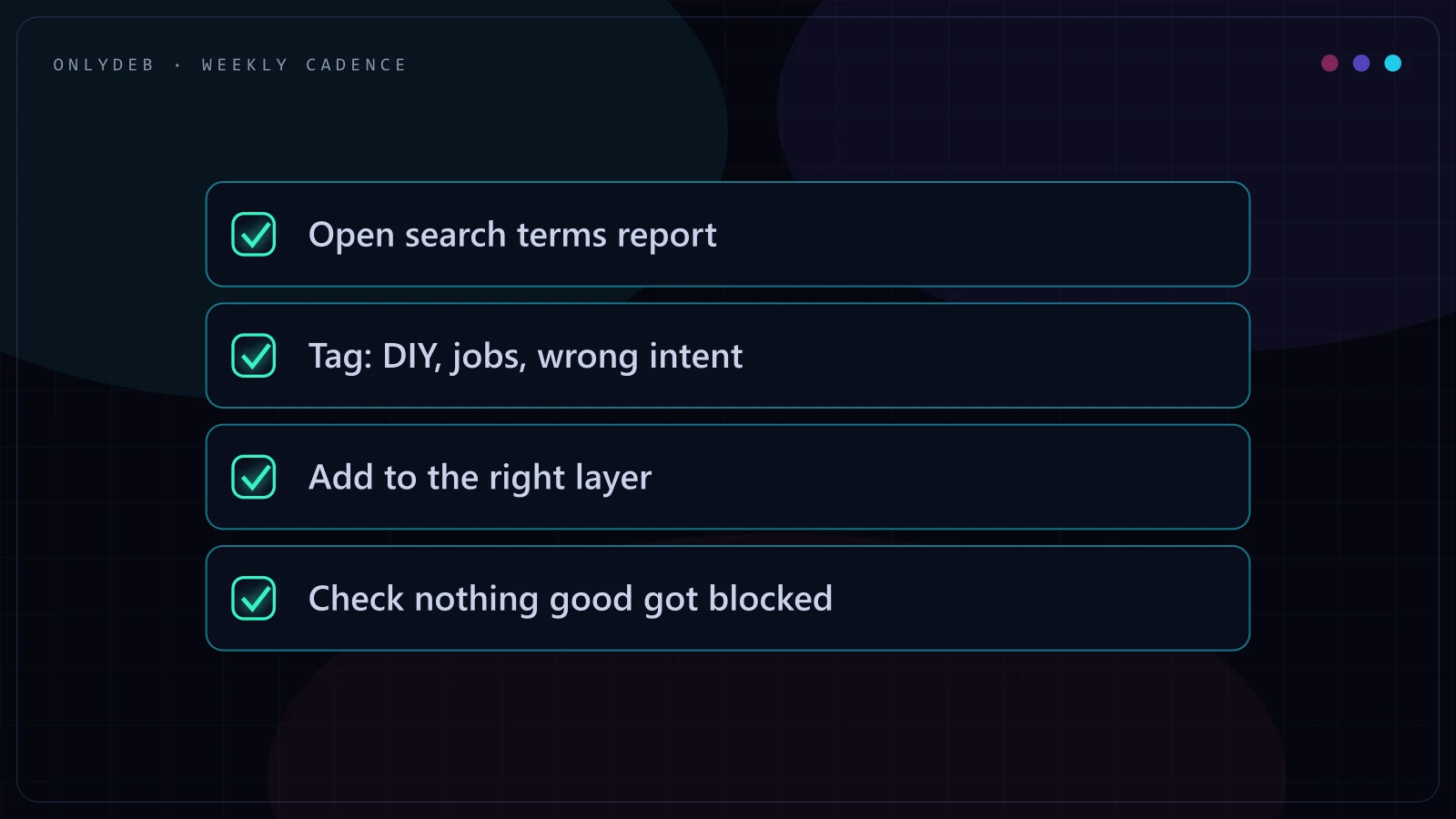
A negative list is only as good as the review cadence behind it, and weekly is the shortest interval that actually works without becoming a full-time job. I pull the search terms report every week, sorted by cost, and look for a specific set of patterns rather than reading every row.
- New queries with spend and no conversions once they've had a reasonable number of clicks to prove themselves, not after one click.
- Wrong-intent language: "jobs," "salary," "free," "diy," "how to," and anything else signaling the searcher isn't a buyer.
- Unintended competitor or brand terms that are triggering through broad match on unrelated keywords.
- Geographic mismatches for any account running location-restricted service areas.
- Qualifiers that conflict with positioning, like "cheap" showing up against a premium-priced service.
This cadence was central to scaling one garage door client from around 100 to 500+ daily leads without letting cost per lead creep up as volume grew. At low spend, a few wasted clicks a week are a rounding error. At five times the volume, the same category of waste multiplies fast enough to erase the margin gains from scaling in the first place, and a weekly review is what catches it while it's still small. I go through the full audit process, negatives included, in my Google Ads audit checklist, and I cover the lead-volume scaling story in more detail in my local lead generation case study.
The search terms report is where I find more obvious waste in ten minutes than in any bid strategy change.
Starter Negative Categories That Fit Most Accounts
Every account is different, but a handful of categories show up often enough that they're a reasonable starting point before the account has generated its own history to mine.
- DIY and how-to: "diy," "how to," "yourself," "tutorial," and similar terms for any service-based business where the searcher fixing it themselves was never going to be a paying lead.
- Jobs and careers: "jobs," "salary," "hiring," "careers," "internship." These show up constantly and almost never signal a customer.
- Free: "free," "free trial," "free sample," unless the offer genuinely includes something free.
- Cheap, where it conflicts with positioning: "cheap," "cheapest," "budget" for a business selling on quality or premium service rather than lowest price. This one is a judgment call, not a default, since a genuinely budget-positioned business would want this traffic.
- Competitor names, as a deliberate decision: blocking competitor brand terms from triggering your generic keywords isn't automatic. Some accounts want the traffic because comparison searches convert; others find competitor clicks rarely convert and prefer to exclude them and save the spend. Decide this on purpose, based on how those clicks have actually performed, not by default in either direction.
Negatives and Performance Max
Performance Max changes the negative keyword picture in a way that catches a lot of managers off guard. You don't get campaign-level or asset-group-level negative keywords the way you do in Search. What you do get is an account-level negative keyword list, which applies across every PMax campaign in the account, and brand exclusion settings, which stop PMax from spending budget on your own brand terms and cannibalizing traffic your brand campaign would have won for less.
What you still can't control is the search term transparency that Search campaigns give you by default. PMax surfaces search term insights in a more limited, aggregated form, so catching a specific wrong-intent query and excluding it takes more digging than a straight Search campaign does. On an account spending north of $300,000 a month, keeping cost per acquisition under $8 meant leaning hard on account-level negatives and brand exclusion settings specifically because the asset-group-level control that would exist in a Search-only setup wasn't available inside PMax. The tools are blunter, so the account-level list has to be more deliberate to compensate.
When a Negative Costs You Money
Negatives aren't free of downside, and the biggest mistake in the opposite direction is over-blocking research-stage searches that convert later. Someone typing "best garage door brands" or "hvac maintenance cost comparison" isn't ready to buy today, but that search is often the first touch in a path that ends in a conversion two or three visits later. Block every query that looks unqualified on its face, and you can quietly cut off the top of a funnel that was working exactly as intended.
The fix is to check assisted conversions and view-through data before adding a blanket exclusion for comparison, review, or "vs" style terms, rather than avoiding research-intent negatives altogether. A query with zero direct conversions but a real presence in assisted conversion paths is a different decision than a query with zero conversions and zero assist value. Every negative should have a reason attached to it, spend without return, wrong intent, or a documented conflict with positioning, rather than getting added on a gut read that it looks irrelevant.
If your account has been running for a while and you're not sure whether waste is hiding in the search terms report or somewhere else entirely, tracking, bid strategy, budget pacing, that's exactly what a full audit is for. I break down the whole process in the Google Ads audit checklist, and if you'd rather have a second set of eyes on it, I run a free account audit that covers search term waste alongside everything else.
FAQ
How often should I add negative keywords?
Weekly, at minimum, on any account spending enough to generate a meaningful search terms report. A monthly or quarterly cadence lets waste accumulate for weeks before anyone catches it, and on a fast-moving account that gap can add up to real budget. Weekly review is short enough to keep the list current without turning into a full-time job.
Do negative keywords work in Performance Max?
Only in a limited way. Performance Max accepts account-level negative keyword lists, which apply across every PMax campaign, and brand exclusion settings that stop PMax from competing with your own brand campaigns. It does not give you campaign-level or asset-group-level negatives, and you do not get the same search term transparency you have in a standard Search campaign, so control is real but noticeably thinner.
Should I use broad negative or phrase negative match?
It depends on how wide a net you need. A negative broad match keyword blocks any search containing all of its words, in any order, which makes it the widest and riskiest option. A negative phrase match blocks searches containing that exact phrase in that word order, which is narrower and safer for terms where word order matters. I default to phrase for anything with commercial ambiguity and reserve broad for terms that are unambiguous in any order, like "jobs" or "salary."
Can too many negative keywords hurt my account?
Yes. An overbuilt negative list can quietly block research-stage searches, comparison terms, or long-tail queries that convert on a later visit, and because the loss shows up as a slow decline in reach rather than an obvious error, it often goes unnoticed for months. Every negative should earn its place with a reason attached, not get added just because a term looks irrelevant at first glance.
Where do I find wasted spend the fastest in an account?
The search terms report, sorted by cost, for the last 60 to 90 days. On almost every audit I run, this single report surfaces more obvious waste in ten minutes than any bid strategy change, ad copy rewrite, or landing page tweak. DIY searches, job seekers, and unintended competitor clicks tend to sit in the same handful of rows near the top.
Negative keywords aren't a one-time setup task, they're a habit. If you want someone to run that habit for you, or just want a look at what's currently leaking out of your own search terms report, get in touch and let's go through your account together.